IRS2Go: gets the job done, but doesn't look very good doing it | Android Central: "The UI of IRS2Go is about as simple as it can get, with just a handful of options on the main screen that can help you along with your taxes. Likely the most useful portions of the app are at the top and bottom of the list, where you'll find a button to get your refund status and contact the IRS if you have questions. When you go to get your refund status, you'll get a quick page to enter your information the exact same as you would on the irs.gov website. It returns a single page with the status of your refund.
The "Get My Tax Record" link will offer a similar form and similar results to the current return check, but simply for older returns. Using the "Contact Us" link gives a good bit of information as to the time and days that live help is available, along with the phone numbers to call for each department. You can just tap "call now" and the app opens your phone's dialer with the number in it, which is nice."
'via Blog this'

WeFi Pro: get the most out of public Wifi access | Android Central
WeFi Pro: get the most out of public Wifi access | Android Central: "WeFi Pro used to be exclusively for use by Cricket subscribers but has since opened up to users on any carrier. The idea is the same, however and the app has just received several updates recently that have improved it functionality. The idea here is to help you offload your data usage from cellular networks to Wifi when an acceptable connection is available, hopefully doing it intelligently so that you'll always have the best connection available. WeFi Pro relies on a network of 130 million open Wifi access points, which are user-submitted."
'via Blog this'
'via Blog this'
Featured Android App Review: Hideman VPN [Tools]
Featured Android App Review: Hideman VPN [Tools]:
 Several months ago I reviewed TunnelBear VPN, and I just came across a similar app called Hideman VPN. Connecting to a secure VPN from your mobile device serves two purposes. The first is security. If you frequent public WiFis, anyone on the same network could steal passwords or any data that you send via the network. Now I don’t say that to make you panic. Chances are you will be okay, but being extra safe never hurt anyone. That’s where a secure VPN comes into play, or in this case Hideman VPN. After you’ve connected to the public WiFi, you simply connect to Hideman VPN and everything you do will be completely secure and nobody will have access. Hideman VPN uses AES-256 bit encryption, which is as good as it gets.
The second reason you might want to utilize a VPN is for access to things you don’t have because of your location. Say you are in the U.S. and you want access to the BBC iPlayer. The only way to do that would be to fly yourself over to the UK, but assuming you don’t have a private jet for such things, you can just connect to a VPN in the UK. It will appear as if you are in the UK, but you will actually be sitting on your couch in the U.S. The same works for those of you that are overseas and want access to Hulu or Google Music. Just connect to the U.S. VPN and you’re good to go.
There are a couple of advantages that Hideman VPN has over other VPN’s such as TunnelBear. The first is that there are a lot more countries to choose from for connecting, 17 to be exact. Examples are Canada, the UK, Russia, United States, Germany, Singapore, and so on. Naturally if you are just looking for a secure connection, these areas won’t matter so much, but if you need access to any of these countries, it’s nice to have the options. The other really nice feature is that there is a widget so you can quickly launch the app. On the negative side, download speeds are a little slower than what I was expecting. Normally you can expect a 15% drop in speed, but Hideman VPN was closer to 50%. Depending on what you’re doing, it probably won’t be a big deal for most people.
As you would expect, a service like this isn’t free, but depending on your needs, it might not cost you anything at all. You get five hours per week, which is really good. The catch is that you have to do it in blocks and it’s not contingent on whether you are actually connected to the the VPN or not. You get a total of six blocks and each block varies from approximately 40 minutes to 60 minutes. There is a counter at the top which tells you how many blocks you have remaining for the week. You tap it to start a block of time and it will continue to countdown whether you’re are connected or not. If you only need it once in a while when you are on a public WiFi, it might be enough. For those of you that need more, you can purchase time via SMS, Google Play, Paypal, etc. They offer different packages depending on how you want to pay, but for example, if you are looking to pay via SMS, you can grab 10 hours for $1.00, 30 hours for $2.90, 50 hours for $4.80, 80 hours for $7.60, and 100 hours for $9.50. Alternatively, you can buy 1 month for $2.90, 2 months for $4.90, 6 months for $16.90, or 1 year for $24.90. If you want more time, but don’t want to spend any dollars, you can also earn extra time by inviting your friends or trying apps through TapJoy.
If you’re looking to be more secure when you’re connected to a public WiFi and/or you need access to something in another country, definitely check out Hideman VPN. It’s free to try so you have nothing to lose. Check out my hands on video below and hit one of the download links to get started. As always, let me know what you think.
Features


Click here to view the embedded video.


The second reason you might want to utilize a VPN is for access to things you don’t have because of your location. Say you are in the U.S. and you want access to the BBC iPlayer. The only way to do that would be to fly yourself over to the UK, but assuming you don’t have a private jet for such things, you can just connect to a VPN in the UK. It will appear as if you are in the UK, but you will actually be sitting on your couch in the U.S. The same works for those of you that are overseas and want access to Hulu or Google Music. Just connect to the U.S. VPN and you’re good to go.
There are a couple of advantages that Hideman VPN has over other VPN’s such as TunnelBear. The first is that there are a lot more countries to choose from for connecting, 17 to be exact. Examples are Canada, the UK, Russia, United States, Germany, Singapore, and so on. Naturally if you are just looking for a secure connection, these areas won’t matter so much, but if you need access to any of these countries, it’s nice to have the options. The other really nice feature is that there is a widget so you can quickly launch the app. On the negative side, download speeds are a little slower than what I was expecting. Normally you can expect a 15% drop in speed, but Hideman VPN was closer to 50%. Depending on what you’re doing, it probably won’t be a big deal for most people.
As you would expect, a service like this isn’t free, but depending on your needs, it might not cost you anything at all. You get five hours per week, which is really good. The catch is that you have to do it in blocks and it’s not contingent on whether you are actually connected to the the VPN or not. You get a total of six blocks and each block varies from approximately 40 minutes to 60 minutes. There is a counter at the top which tells you how many blocks you have remaining for the week. You tap it to start a block of time and it will continue to countdown whether you’re are connected or not. If you only need it once in a while when you are on a public WiFi, it might be enough. For those of you that need more, you can purchase time via SMS, Google Play, Paypal, etc. They offer different packages depending on how you want to pay, but for example, if you are looking to pay via SMS, you can grab 10 hours for $1.00, 30 hours for $2.90, 50 hours for $4.80, 80 hours for $7.60, and 100 hours for $9.50. Alternatively, you can buy 1 month for $2.90, 2 months for $4.90, 6 months for $16.90, or 1 year for $24.90. If you want more time, but don’t want to spend any dollars, you can also earn extra time by inviting your friends or trying apps through TapJoy.
If you’re looking to be more secure when you’re connected to a public WiFi and/or you need access to something in another country, definitely check out Hideman VPN. It’s free to try so you have nothing to lose. Check out my hands on video below and hit one of the download links to get started. As always, let me know what you think.
Features
- Hide your IP. Nobody will know where are you from.
- Encrypt internet data. Protect your Internet data with strong 256-bit encryption.
- Use any site you needed without any limitations.
- Remove banners and tracking systems.
Click here to view the embedded video.
Visit TalkAndroid for Android news, Android guides, and much more!
Framaroot brings one-click root to several Samsung and some OMAP-based devices
Framaroot brings one-click root to several Samsung and some OMAP-based devices:
 One of the main reasons people choose to go with Android is because of the customization of the OS. With features like custom app launchers and widgets, Android is widely regarded as the favorable OS for anyone looking to make their smartphone or tablet exactly the way they want to. Due to the open-source nature of Android, many users look to do what is known as “rooting”. “Rooting” is essentially getting to the bare system of the device and unlocking the potential of your smartphone or tablet by use of super-user permissions.
Depending on your phone, carrier and manufacturer, the process of rooting your phone could be either extremely easy or extremely tiresome. Luckily there are developers who’s mission is to create a seamless and user-friendly ways of rooting devices and bringing custom ROMs, or custom user interfaces to your device.
XDA member alephzain recently posted an app called Frameroot that will easily root several devices with one click. It will install Superuser and SU binary on phones that have an Exynos 4 and some phones with OMAP processors. Obviously Exynos 4 devices are Samsung devices. As to the OMAP devices, only the ARCHOS 101 Gen 8 has been tested, but if you have a phone with an OMAP, you can certainly give it a shot.
All that is required is installing the APK (Android Package) on your device, running the app and there you have it, you’re rooted. The following devices are listed as compatible with Framaroot:
Source: XDA-Developers
Come comment on this article: Framaroot brings one-click root to several Samsung and some OMAP-based devices


Depending on your phone, carrier and manufacturer, the process of rooting your phone could be either extremely easy or extremely tiresome. Luckily there are developers who’s mission is to create a seamless and user-friendly ways of rooting devices and bringing custom ROMs, or custom user interfaces to your device.
XDA member alephzain recently posted an app called Frameroot that will easily root several devices with one click. It will install Superuser and SU binary on phones that have an Exynos 4 and some phones with OMAP processors. Obviously Exynos 4 devices are Samsung devices. As to the OMAP devices, only the ARCHOS 101 Gen 8 has been tested, but if you have a phone with an OMAP, you can certainly give it a shot.
All that is required is installing the APK (Android Package) on your device, running the app and there you have it, you’re rooted. The following devices are listed as compatible with Framaroot:
- Samsung Galaxy S2 Epic 4G Touch – SPH-D710
- Samsung Galaxy S2 GT-I9100
- Samsung Galaxy S3 GT-I9300
- Samsung Galaxy S3 LTE GT-I9305
- Samsung Galaxy Note GT-N7000
- Samsung Galaxy Note 2 GT-N7100
- Samsung Galaxy Note 2 LTE GT-N7105
- AT&T Galaxy Note 2 SGH-I317
- Verizon Galaxy Note 2 SCH-I605
- Samsung Galaxy Camera EK-GC100
- Samsung Galaxy Tab Plus GT-P6210
- Samsung Galaxy Note 10.1 GT-N8000, GT-N8010, GT-N8013, GT-N8020
- Archos 101 Gen8
Source: XDA-Developers
Come comment on this article: Framaroot brings one-click root to several Samsung and some OMAP-based devices
Visit TalkAndroid for Android news, Android guides, and much more!
Dungelot by Red Winter Software is my new bathroom buddy [VIDEO]
Dungelot by Red Winter Software is my new bathroom buddy [VIDEO]:


Sometimes you come across a game from the Google Play Store that really takes you by surprise. This was exactly my experience while perusing the Play Store’s latest Android games, then deciding to give Dungelot by Red Winter Software a download. Honestly, I didn’t think much of the game. Sure the art style looked fun and immediately brought back memories of Braveheart (one of my top 5 favorite Android games from yesteryear), but Dungelot was an entirely different horse.
You’d have a hard time finding a box to put Dungelot into. The game plays like a combination of minesweeper mixed with rougue-like dungeon crawling RPG. Personally, I love mashup genres and dived in head first. What I found was a surprisingly light — yet strategic — casual Android game perfect for sitting through movie trailers, waiting at the DMV, or any activity in need of time killing. Watch my hands-on video (above) for a complete walkthrough of Dungelot.

Now, I invite you to simply give the game a download for yourself. There’s a free Dungelot Lite version currently available in the Google Play Store and should you decide you want the full version of the game, it’s only a paltry $.99 cents. Nothing to lose, and you might find Dungelot your next go-to game for those quick (or long) bathroom breaks. Just don’t forget to windex your phone after. Cheers.
[Google Play link: Dungelot | Dungelot Lite]
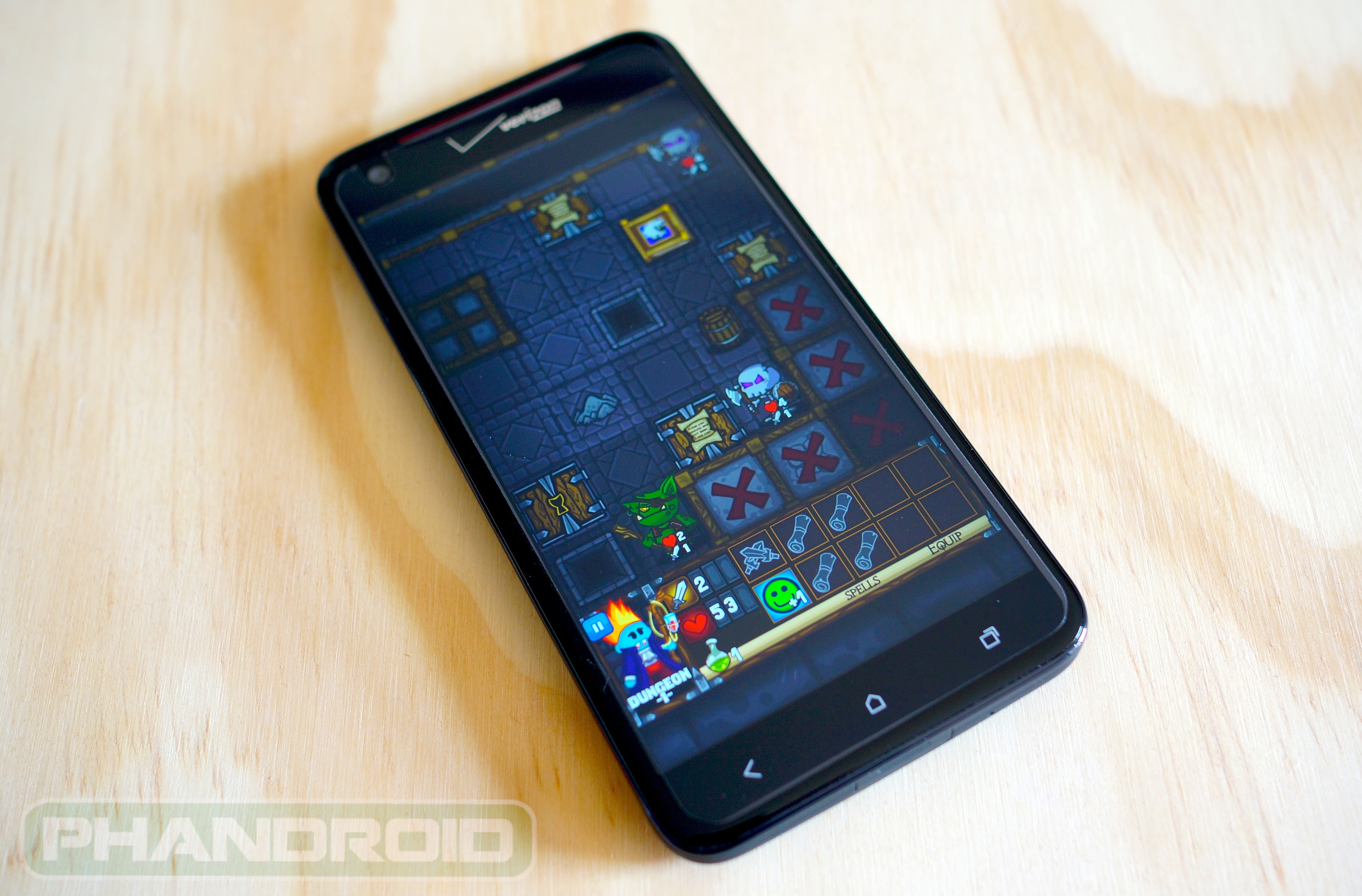
Sometimes you come across a game from the Google Play Store that really takes you by surprise. This was exactly my experience while perusing the Play Store’s latest Android games, then deciding to give Dungelot by Red Winter Software a download. Honestly, I didn’t think much of the game. Sure the art style looked fun and immediately brought back memories of Braveheart (one of my top 5 favorite Android games from yesteryear), but Dungelot was an entirely different horse.
You’d have a hard time finding a box to put Dungelot into. The game plays like a combination of minesweeper mixed with rougue-like dungeon crawling RPG. Personally, I love mashup genres and dived in head first. What I found was a surprisingly light — yet strategic — casual Android game perfect for sitting through movie trailers, waiting at the DMV, or any activity in need of time killing. Watch my hands-on video (above) for a complete walkthrough of Dungelot.

Now, I invite you to simply give the game a download for yourself. There’s a free Dungelot Lite version currently available in the Google Play Store and should you decide you want the full version of the game, it’s only a paltry $.99 cents. Nothing to lose, and you might find Dungelot your next go-to game for those quick (or long) bathroom breaks. Just don’t forget to windex your phone after. Cheers.
[Google Play link: Dungelot | Dungelot Lite]
Cubes vs Spheres is minimal, zombie-like action game… with blocks [VIDEO]
Cubes vs Spheres is minimal, zombie-like action game… with blocks [VIDEO]:


In an effort to bring you guys all the best applications and games from the Google Play Store, we found yet another. It’s called Cubes vs Spheres and if you’re thinking another puzzler, let me stop you right there. This game is all action. Not in a flashy, photo realistic Shadowgun kinda way — this action in it’s purest form, stripping away blood and gore for style and clean design. And around these parts… we like minimal.
At this point, I’m just going to go ahead and call this a zombie game, there’s no way around it. To help guarantee victory, players need to earn points collected from completing missions to upgrade their arsenal, and gain new balls, 6 in all, each with their own special powers. Blue balls split into 3 while in midair, orange balls explode upon contact, black balls can travel through red cubes, red balls home-in on cubes, purple creates ice slicks slowing down baddies and finally, a pink cube attracts red cubes until she detonates. Bloody awesome.
[Google Play link: Cubes vs Spheres]

In an effort to bring you guys all the best applications and games from the Google Play Store, we found yet another. It’s called Cubes vs Spheres and if you’re thinking another puzzler, let me stop you right there. This game is all action. Not in a flashy, photo realistic Shadowgun kinda way — this action in it’s purest form, stripping away blood and gore for style and clean design. And around these parts… we like minimal.
Gameplay
What’s interesting is I’ve caught myself calling Cubes vs Sphere, ShockPanda Games’ latest title, Cubes vs Zombies on more than one occasion. This is sort of telling of gameplay we’re looking at here in CvS. You have your home base represented by a red dotted line and must defend it using a variety of balls from the horde of red cubes advancing forth.At this point, I’m just going to go ahead and call this a zombie game, there’s no way around it. To help guarantee victory, players need to earn points collected from completing missions to upgrade their arsenal, and gain new balls, 6 in all, each with their own special powers. Blue balls split into 3 while in midair, orange balls explode upon contact, black balls can travel through red cubes, red balls home-in on cubes, purple creates ice slicks slowing down baddies and finally, a pink cube attracts red cubes until she detonates. Bloody awesome.
Visuals
It’s not often a game looks this stunning yet still allows players the freedom to use their own imaginations. While very minimal in appearance, Cubes vs Spheres utilizes a slew of modern special effects like anti-aliasing (for silky smooth visuals), real-time physics (giving the game a very natural feel), and awesome splash of colors and sounds to bring the entire game to life. On a 5-inch, 1080p display, the game looks stunning.Verdict
I wont even beat around the bush, Cubes vs Spheres is Google Play Store gold. I can see copy-cat games spawning left and right after its success. The casual, fun-for-all-ages gameplay makes it the perfect game for kids and adults alike. Don’t forget it’s low $.99 cent entrance fee wont break the bank. You can download Cubes vs Spheres in the Play Store right now via the link below.[Google Play link: Cubes vs Spheres]
Box.net giving away free 50GB accounts to new users
Box.net giving away free 50GB accounts to new users:
I’m not sure if you’ve noticed, but there’s been an intense battle for the top crown of the online cloud storage/documents editing space lately. Dropbox spent a long time with little competition, but have since seen a lot of competition from the likes of SkyDrive, Amazon, Google Drive, MediaFire, and Box. Well, the latter of those companies is enticing users with another great offer — a free 50GB account!
All you need to do is sign up via this link, and it takes just a quick couple of minutes before you’re afforded a ton of space to store all your bits and bytes to. You can even get your friends and family to sign up, and get them a nice 50GB account of their own. Box’s big focus on collaboration is a perfect excuse to bug your coworkers, too.
We assume the deal won’t last uber long so you might as well get it out of the way now, even if you don’t anticipate needing to use it within the near future. Box has come quite a long way over the past few years and is a very nice alternative to some of the bigger names in cloud storage. Take a look at the quick video above and see if you aren’t impressed enough to at least give it a shot on the back of this offer, and grab the app from the Google Play Store to use it on the go.
[via Droid-Life]
I’m not sure if you’ve noticed, but there’s been an intense battle for the top crown of the online cloud storage/documents editing space lately. Dropbox spent a long time with little competition, but have since seen a lot of competition from the likes of SkyDrive, Amazon, Google Drive, MediaFire, and Box. Well, the latter of those companies is enticing users with another great offer — a free 50GB account!
All you need to do is sign up via this link, and it takes just a quick couple of minutes before you’re afforded a ton of space to store all your bits and bytes to. You can even get your friends and family to sign up, and get them a nice 50GB account of their own. Box’s big focus on collaboration is a perfect excuse to bug your coworkers, too.
We assume the deal won’t last uber long so you might as well get it out of the way now, even if you don’t anticipate needing to use it within the near future. Box has come quite a long way over the past few years and is a very nice alternative to some of the bigger names in cloud storage. Take a look at the quick video above and see if you aren’t impressed enough to at least give it a shot on the back of this offer, and grab the app from the Google Play Store to use it on the go.
[via Droid-Life]
DashClock Widget for Android 4.2
DashClock Widget for Android 4.2:

I've made no secret about my outright displeasure for the new lock screen widgets in Android 4.2. Clunky, for one, often lacking style for another.
DashClock Widget is quickly changing my mind. It's the work of Roman Nurik, a Googler and Android design guy and was released this morning to Google Play and as open-source code.
The widget itself is devilishly simple. Add it to the Android 4.2 lock screen like you would any other widget. From there you add "extensions." At launch you've got extensions for weather, missed calls and texts, your next calendar appointment, unread e-mails and your next scheduled alarm. Chances are we should see additional extensions pretty quickly. (Here's hoping for some world clock love, which is the only thing I'm missing from the stock Android lock screen clock.) Want to get rid of an extension? Just swipe it away. Nice.
This one's free, it's open-source, and it's definitely worth a look. Hit the link above, and ease on past the break for a little hands-on action if you need more convincing.
read more


I've made no secret about my outright displeasure for the new lock screen widgets in Android 4.2. Clunky, for one, often lacking style for another.
DashClock Widget is quickly changing my mind. It's the work of Roman Nurik, a Googler and Android design guy and was released this morning to Google Play and as open-source code.
The widget itself is devilishly simple. Add it to the Android 4.2 lock screen like you would any other widget. From there you add "extensions." At launch you've got extensions for weather, missed calls and texts, your next calendar appointment, unread e-mails and your next scheduled alarm. Chances are we should see additional extensions pretty quickly. (Here's hoping for some world clock love, which is the only thing I'm missing from the stock Android lock screen clock.) Want to get rid of an extension? Just swipe it away. Nice.
This one's free, it's open-source, and it's definitely worth a look. Hit the link above, and ease on past the break for a little hands-on action if you need more convincing.
read more
 |  |
Fix Your Broken Crap This Weekend
Fix Your Broken Crap This Weekend:

If you're like most people, you probably have a lot of stuff. You could probably stand to get rid of some of it, but chances are you have a few things that need a little fixing. Here are some tips to help you get them back in top shape this weekend. More »
Top 10 Hacks for Automating Your Life
Top 10 Hacks for Automating Your Life:

What if you were a wizard that could bend the entire world to your will? Chores would do themselves, bills would pay on time, and your appliances would obey your every thought. Well, you can't do that exactly, but with a bit of ingenuity, you can automate a lot of your life so you don't have to trudge through the boring stuff. Here are ten things you can automate right now. More »
Silence for Android Integrates with Google Calendar, Adjusts Your Sound and Wireless Settings Automatically
Silence for Android Integrates with Google Calendar, Adjusts Your Sound and Wireless Settings Automatically:

Android: Silence is a great utility for automatically toggling your sound and wireless settings based on specific times of day, and the last time we mentioned it we praised its super-simple UI. Now the app has been updated, and integrates with Google Calendar for automatic quiet hours, can toggle mobile data on or off as well as Wi-Fi, and more. More »
Subscribe to:
Posts (Atom)